Rematch a Delayed Bag File
When you Rematch a Delayed Bag File, you instruct WorldTracer to widen the matching criteria with the objective of finding a match that hasn't been found so far.
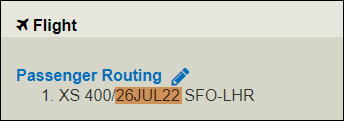
It is only available when the flight date in the Delayed Bag File is more than five days old.
>> FR: to come back to me on what happens when you have a routing over multiple dates....
You can rematch on the following criteria:
-
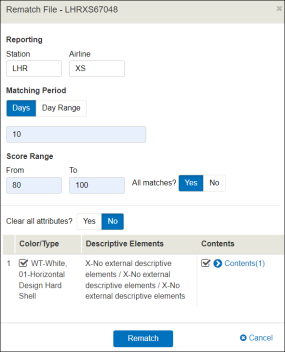
Matching Period
-
Score Range
-
Color/Type
-
Contents of the bag
Rematch a File
Menu: Passenger > Delayed Bag > Manage > display Delayed Bag File
-
Select Rematch File from the triple-dot menu.
-
Fill in the Rematch File dialog to instruct WorldTracer on the score you want to use, and on the bags you wish to rematch.
-
Click Rematch to confirm.
WorldTracer Native:
FRM Rematch File